Dedicated Mac mini hosting

Turn a dedicated Mac mini into your cloud workstation

Every user gets a dedicated physical machine—not a virtual machine. Connect to Apple Silicon for Xcode builds, CI/CD automation, audio/video processing, and reproducible remote experiments.

Specs, regions, add-ons, and billing cycles are shown item by item before you confirm your order
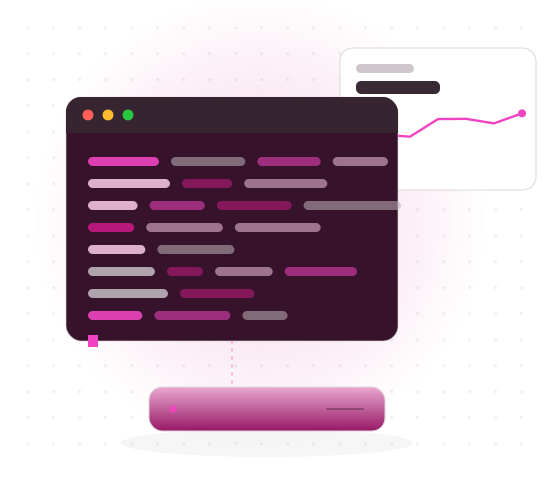
Oakmini Cloud Mac workstation and physical node illustration
oakmini — zsh — arm64
local ~ % ssh oak@sg-node-04
Connected to Oakmini physical node · Singapore
Last login: Today 09:42:18 from trusted client
 
oakmini ~ % system_profiler SPHardwareDataType | grep Chip
Chip: Apple M4 Pro
oakmini app % bundle exec fastlane build
Resolving Swift packages...
✓ Archive completed · 04:18
 
oakmini app % runnerctl task view 8421
status: completed · conclusion: success
oakmini app % runnerctl status
online · labels: macos, arm64, forge
oakmini app % df -h /System/Volumes/Data
1.8Ti · 614Gi used · 1.1Ti available
Apple M4 Proarm64 · physical node
runner onlinejob queue · ready
Built for real development workflows
Xcode builds Self-hosted runner Apple Silicon experiments Encoding and export
Positioning

Not a shared compute pool. A Mac mini dedicated to you.

Oakmini provides Mac mini cloud hosting. Chip, memory, storage, region, and billing cycle are clearly listed in each order—ideal for engineering work that needs persistent dependencies, caches, and task records.

1:1

Dedicated physical node, not a virtual machine

Each user connects to an independent physical Mac mini without sharing host resources with other tenants. Manage tool versions, build caches, workspaces, and runner labels by project instead of placing critical jobs in a temporary virtual environment.

Physical nodes run continuously 365 days a year, making them suitable for overnight builds, continuous integration, and experiments that continue across locations. The service boundary is clear: Oakmini provides the node and management access; you manage project permissions, code assets, keys, and software licenses.

DEDICATED PHYSICAL APPLE SILICON

iOS and macOS

Maintain Xcode projects remotely, checking dependency resolution, build settings, signing permissions, and artifact directories.

CI/CD

Register a self-hosted runner, assign jobs by label, and retain caches, logs, and failure context.

AI workflows

Validate Apple Silicon inference environments with fixed models, frameworks, runtime parameters, and data directories.

Audio/video automation

Run encoding, transcoding, batch processing, and preset-based exports while saving logs for each task.

Plans

Two clear configurations, chosen by workload.

Both plans provide a dedicated Mac mini physical node. Prices are in USD, with daily, weekly, monthly, and quarterly billing cycles. Longer-term prices are shown as listed, without inventing discounts.

View full pricing →
Oak Core
m4-16-256
Personal development
CHIPM4
MEMORY16GB
STORAGE256GB

Ideal for single-project debugging, lightweight Xcode builds, toolchain validation, and low-concurrency automation.

Monthly plan

$97.3 Day $19.5 · Week $52.5 · Quarter $264.7
Regions

Place the node near collaborators—and near the workload entry point.

For interactive development, choose a region close to primary users to reduce round-trip delays in VNC sessions and terminal input. Teams should also consider where key collaborators are located instead of judging performance from one member’s network alone.

For automated builds, consider the locations of your code repository, dependency downloads, and artifact uploads. Before using a cross-region setup, measure the route from your actual office network and assess terminal interaction, graphical access, and large-file transfers separately—not just a single latency result.

Development collaborationPrioritize proximity to daily users and key collaborators.
Build jobsConsider the transfer direction for code, dependencies, and artifacts.
Cross-region accessTest SSH, VNC, and file synchronization from the real access network.
Available nodes currently include Singapore, Japan (Tokyo), South Korea (Seoul), Hong Kong, and the western United States. Actual availability is determined by the portal response.
SingaporeSG
Japan (Tokyo)JP
South Korea (Seoul)KR
Hong KongHK
Western United StatesUS-W
Use cases

Put a physical node into your existing workflow.

A cloud Mac does not require replacing your development process. Connect a fixed Apple Silicon environment to familiar projects, scripts, and job queues through SSH, VNC, or a CI runner.

CASE 01

Independent developer maintaining an Xcode project

Use VNC for project settings and graphical tasks, then SSH for dependency installation, testing, archiving, and artifact export. Record Xcode, Swift toolchain, and dependency versions in the project to reduce environment differences when taking over work from another location.

VNC → XCODE → FASTLANE → ARCHIVE
CASE 02

CI team running a self-hosted runner

Register a dedicated runner with macOS, arm64, and project labels, and define the workspace, cache cleanup policy, and concurrent job count. Keep logs, version manifests, and artifact paths after failures so you can reproduce them on the same node.

GIT PUSH → RUNNER → BUILD → ARTIFACT
CASE 03

AI experiment validating Apple Silicon inference

Fix the model format, runtime framework, dependency versions, data directory, and test inputs. Record the chip, memory usage, launch parameters, and outputs for every experiment, using the same scripts to compare changes instead of relying on informal performance judgments.

MODEL → RUNTIME → INFERENCE → LOG
CASE 04

Audio/video team running batch exports

Sync media, fonts, and encoding presets, then use a queue for encoding, transcoding, and automated exports. Manage source files, temporary directories, and final artifacts separately, and verify file counts, formats, and logs when each task finishes.

SOURCE → QUEUE → ENCODE → EXPORT
How it works

Connect in three steps, from plan selection to running jobs.

Orders, connection details, and physical node status are managed together in the portal. On first access, verify the hardware and system before restoring your toolchain, avoiding production jobs before the environment is confirmed.

01

Choose a configuration and billing cycle

In the portal, choose Oak Core or Oak Forge, then select a daily, weekly, monthly, or quarterly cycle, region, and any required add-ons. Estimate your needs from concurrent jobs, peak memory, cache size, and data directories—not just project count.

02

Retrieve connection details

Configure SSH or VNC using the information provided in the portal. After connecting for the first time, verify the hostname, system version, Apple Silicon chip, memory, available disk space, and time zone, then replace the initial credentials.

03

Connect your workflow

Restore Homebrew, Git, language runtimes, and the Xcode toolchain, pull a test project, and complete one reproducible build. Automation teams can register a runner, set labels, and trigger a validation job.

Verifiable specs

Describe capability with fields, not vague multipliers.

Compare the chip, memory, storage, region, and billing cycle directly. Oak Core is for lightweight development and personal debugging; Oak Forge is for high-memory workloads, multitasking, and larger workspaces.

M4 / M4 ProApple Silicon
16GB / 64GBUnified memory
256GB / 2TBOptional +1TB or +2TB SSD
5 regionsSG · JP · KR · HK · US-W
D / W / M / QDay · Week · Month · Quarter
Storage add-ons and Thunderbolt 5 bonding are billed according to the selected cycle. All specifications and prices are shown item by item on the order confirmation page.
Apple Silicon workflow

Graphical interfaces, command lines, and pipelines can work together.

Use VNC for graphical engineering tasks, SSH for installation, checks, and scripts, and a runner for continuous integration. All three paths share project directories, tool versions, and logs on the same dedicated physical machine.

Common tool stack

Record which tools are installed, which versions they use, and how they are upgraded in the project environment manifest. Users are responsible for configuring licensed tools under the applicable terms.

Xcode
Fastlane
Homebrew
Git
SSH
VNC
CI Runner A
CI Runner B

Integration map

Interactive developmentVNC + Xcode + Git
Environment managementSSH + Homebrew + language runtimes
Automated buildsFastlane + self-hosted runner
TroubleshootingVersion manifest + build logs + task times
sw_vers Check the system version uname -m Check the arm64 architecture xcodebuild -version Record the toolchain df -h Check workspace disk space

I moved the nightly build to a fixed node. In the morning, I check the logs and artifacts first instead of preparing the Xcode environment again; dependency changes are traceable in the version manifest.

Independent developer Overnight automated build workflow

With a dedicated runner, we can clearly record cache locations, concurrency, and job queuing. When something fails, we return to the same environment and inspect the logs.

CI engineer Continuous integration workflow

The model, framework, and data directory stay on the remote Mac. I can continue the same Apple Silicon experiment from different locations and revalidate the results with fixed inputs.

AI researcher Remote inference experiment workflow
Billing

Payment methods and the billing currency are clear before you order.

All orders are settled in USD. Payment is limited to USDT-TRC20 and Visa / Mastercard / Amex (via Stripe); available gateways are determined by the portal response.

Before confirming an order, verify the model, billing cycle, region, storage expansion, and Thunderbolt 5 bonding option. Daily, weekly, monthly, and quarterly prices are for their respective cycles; do not calculate an order total using another cycle.

The billing cycle price, region, storage, and Thunderbolt 5 bonding options are shown item by item before order confirmation.

Bank card

Visa / Mastercard / Amex
Processed via Stripe

USDT-TRC20

Pay according to the portal order details and verify the transaction status

USD

The billing currency used consistently for plans, cycles, and add-ons

FAQ

Common questions before ordering.

Support center →
Is Oakmini a virtual machine?

No. Every user gets a dedicated physical Mac mini node, not a virtual machine. The exact chip, memory, storage, and region are shown on the order page.

How should I choose a region?

For interactive development, consider the network path from the user’s location to the node. Automated builds should also account for where code, dependencies, and artifacts are transferred. For cross-region teams, test SSH, VNC, and file synchronization separately from the actual office network.

Which development tools can I run?

Typical combinations include Xcode, Fastlane, Homebrew, Git, SSH, VNC, and common self-hosted runners. Both the macOS graphical interface and command line are available; users manage software licenses and third-party developer accounts themselves.

Which billing cycles and payment methods are supported?

Daily, weekly, monthly, and quarterly cycles are available. Payment is limited to USDT-TRC20 and Visa / Mastercard / Amex (via Stripe), with all orders settled in USD.

How should I choose between Oak Core and Oak Forge?

For single-project debugging, lightweight builds, and low-concurrency jobs, start by evaluating Oak Core. For concurrent projects, high-memory workloads, large caches, or AI inference experiments, evaluate Oak Forge and check whether 64GB memory and a 2TB SSD are necessary for your actual working set.

Start from portal

Check node availability and choose your cloud Mac.

In the portal, confirm Oak Core or Oak Forge, region, daily/weekly/monthly/quarterly cycle, and add-ons. Retrieve connection details and manage orders and physical node status in one place.